Blog · · 7 min
Image generation MCP server for Claude Code
Two installable image generation MCP servers today. shinpr's mcp-image adds in one line with claude mcp add and edits your real product photo through inputImagePath. replicate-mcp, Replicate's own, reaches many models. The official registry returns zero.
By uxgen
Two options install in one command each, and they solve different problems.
shinpr's mcp-image. claude mcp add mcp-image --env GEMINI_API_KEY=your-api-key --env IMAGE_OUTPUT_DIR=/absolute/path/to/images -- npx -y mcp-image. One tool, generate_image, which does text-to-image and image-to-image through an inputImagePath argument taking an absolute path. It runs a prompt-optimisation pass before generating, and it writes files to a directory you choose. Backends are Google and OpenAI, selected by which API key you supply.
Replicate's replicate-mcp. The official Replicate MCP, Apache-2.0, published by the Replicate team. Reaches whatever Replicate hosts, which is the widest model surface of the two.
If you are photographing a product that exists, mcp-image is the one, and the reason is inputImagePath. Everything below explains why that argument is the whole difference between a usable packshot and a picture of a thing that does not exist.
Worth knowing before you search further
We queried the official Model Context Protocol registry on 24 August 2026. image generation returns zero servers. So does ui components, component library and landing page. The image-generation servers exist, several of them on npm and on GitHub. They are simply not in the registry an agent would search first. If you told an agent to look there and it came back empty, that is why.
npm is the better index for this category. A search there on the same day returned, among others, mcp-image, @image-mcp/cli, @pixfaro/mcp, openai-gpt-image-mcp-server, and several Gemini-backed servers. Most are single-author packages. Check the publish date and the repository before wiring one into a merchant's workflow.
The two rules that save a product photo
These are the ones no README mentions, and both are about what you feed the model rather than what you ask it for.
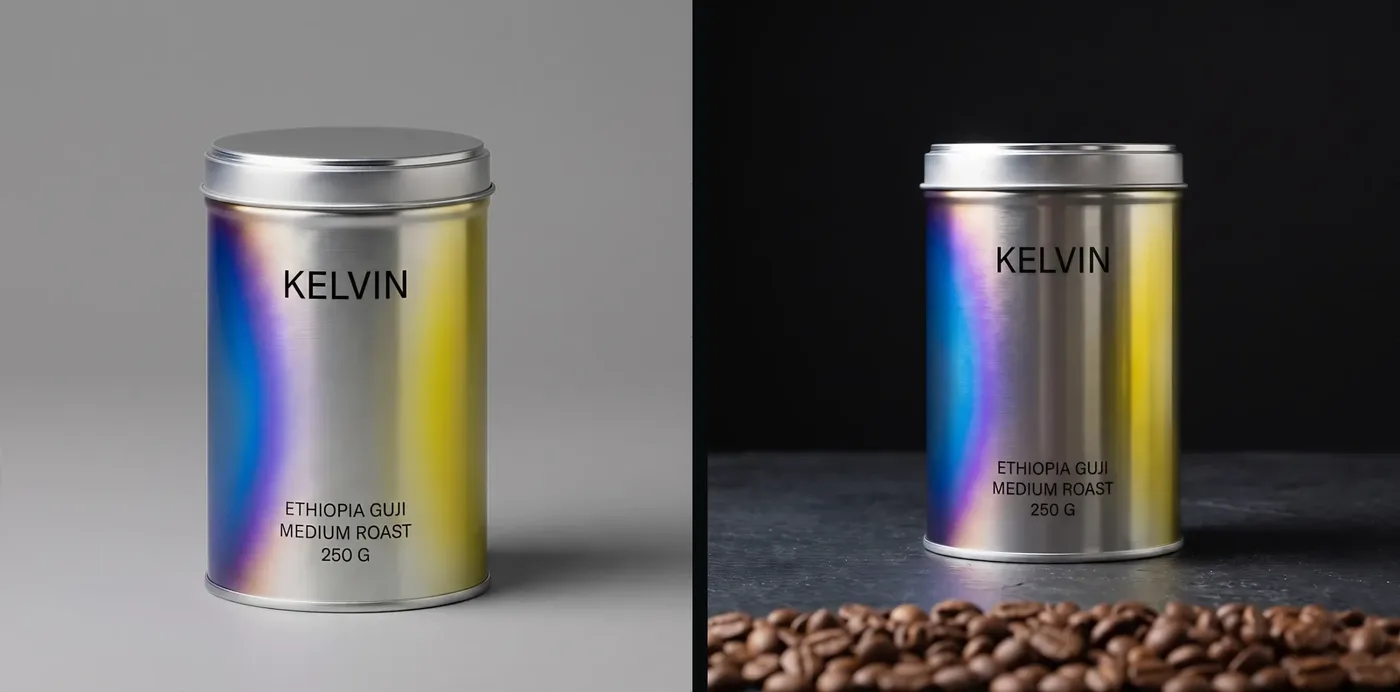
Rule one: always supply the real photograph as input. A text-to-image call produces a plausible object. Not your object. A member of its category, with your label approximated and your proportions invented. For anything a customer will receive in a box, that is a picture of a different product, and it is the reason generated stores read as fictional. inputImagePath with a phone photo of the actual item, plus a prompt describing only the scene (the light, the surface, the angle) gives you your product in a better setting. Same object, new photograph.
This also settles a question people ask in the wrong order. The failure mode is not "the model is not good enough". It is "the model was never shown the product".
Rule two: never re-edit an image that has already been cut out. Background removal leaves a transparent alpha channel and hard, anti-aliased edges. Send that back through a generative edit and the model treats those edges as content. It fills the transparency, hallucinates a rim, softens the silhouette, and frequently redraws the label text into something that is nearly your wording. Do every generative edit while the image still has its background, then cut out exactly once, at the end.
Keep the original. A pipeline that edits in place has no way back, and the third edit is always the one you want to undo.
Two more, learned the expensive way
Never trust generated text on a label. Image models approximate letterforms. On a product shot this produces a label that reads correctly at thumbnail size and is gibberish at full resolution. If the product is regulated, a wrong ingredient or dose on a rendered label is a real problem, not a rendering artefact. Inspect every generated image at full resolution before it ships, not in a contact sheet.
Do not fill a container to the brim. Bottles, jars and vials rendered full to the cap are one of the most consistent tells of a generated shot, because real ones never are. Ask for a fill line.
Cost
Neither package charges anything. You pay the model provider on your own key (Google or OpenAI for mcp-image, Replicate for replicate-mcp) at whatever their per-image rate is on the day you run it. We are not quoting figures here because they change and because a stale price in an article is worse than no price. Check the provider's pricing page. Both servers make the model choice explicit, so you know what you are being billed for.
An image you keep usually costs several you discard, and a full-resolution review pass adds more. Plan for iteration, not for a unit price.
Where this fits in a build
An agent building a storefront needs images before it needs anything else on the page, because the single most effective difference between a store that reads as real and one that does not is a second photograph of the same object. A generated hero over a generated product is two fictions stacked.
Order of operations that works: real photo in, scene generated around it, full-resolution inspection, cut out once, then build the page around the image you actually have. Not the reverse. A layout designed for an image that does not exist yet will get an image forced into it.
For the rest of the toolchain, the measurement servers are inventoried here and what exists for commerce UI is here.
Honest note on volume
This is a low-traffic query with a high intent. People who search it install something within the hour. That also means the pages ranking for it are mostly READMEs and directory entries that copy those READMEs. If you are choosing between them, the deciding question is not which model they reach. It is whether the server can take your photograph as input. Today, of the two we would recommend, one can.
Disclosure. We are building uxgen, which includes a product-image step following the two rules above. It is not installable yet. Both servers named here are, and neither is ours.
FAQ
Which image generation MCP server works with Claude Code?
Two install cleanly today. shinpr's mcp-image adds in one line with claude mcp add and edits your real product photo through an inputImagePath argument. replicate-mcp is Replicate's own server and reaches many models.
Can I find one in the official MCP registry?
No. Searching the official registry for image generation returns zero servers, so neither of the two is discoverable there. That absence is the reason most people conclude none exists.
What is the rule for product images?
Always give the model your real photograph as input rather than asking for the product from scratch, and never re-edit an image that has already been cut out. Both rules exist because the failure is silent. The result looks fine and the product is subtly wrong.
What does it cost per image?
It depends on the model behind the server rather than on the server itself, which is why the comparison worth making is cost against control rather than server against server.